1. Download iTunes at apple.com/itunes/
2. Once downloaded and installed in your computer, access its "Store".

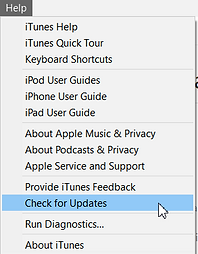
2.1. There's a possibility that you won't be able to access the "store" if your iTunes isn't updated. Go to "Help" and then "Check for updates" to make you sure you have the current version.
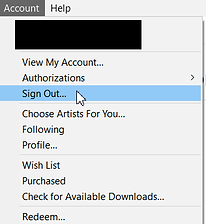
2.2. If you have an iTunes account on your own country, make sure you're logged out of your national account in order to make a new one. Go to "Account" and then "Sign Out".
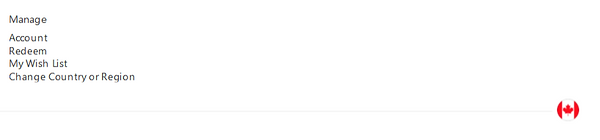
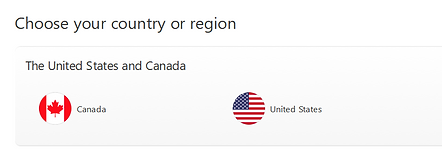
3. Once inside the store, scroll down the page until the end. There you'll see a circle with the flag of your country. Click on that or on “Change Country or Region” to change the country of your itunes to United States.
4. Since US iTunes account only accepts US credit cards, we need to get something free so they won't ask for a payment method. Therefore, go to the "TV shows" section and then to "free TV Episodes"

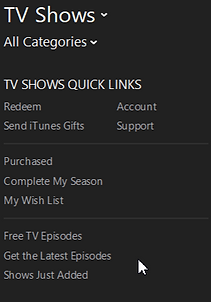
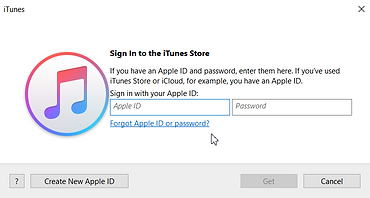
5. Select any random episode under "Free TV Episodes" and click on "Get".

6. A pop up will appear for you to sign up. Click on "Create New Apple ID". Don't use any e-mail you have already used to sign up at other country's iTunes.
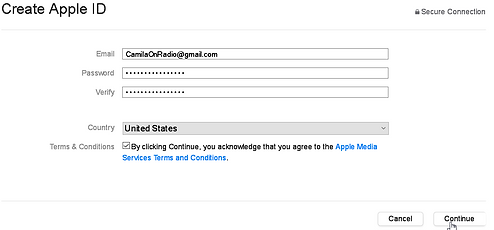
7. Fill the form with your e-mail and chosen password. Make sure the country selected is "United States" and accept the terms & conditions and click on "continue"
8. Fill your personal information, including security questions, and click on "continue".
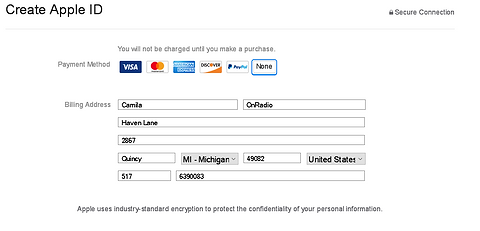
9. Then they will ask your payment info. Notice that under payment method, there's the option of "none". Choose that one. Under "billin address", you need to fill with a US address or else it won't count. You can find a ramdom address at fakeaddressgenerator.com

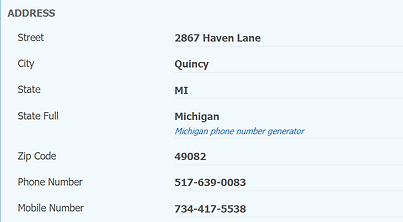
10. At fakeaddressgenerator.com, click on the "random address" bottom to generate a new address. One will appear with all the infos needed for your iTunes account.

11. Copy the address you generated at fakeaddressgenerator.com, like this:
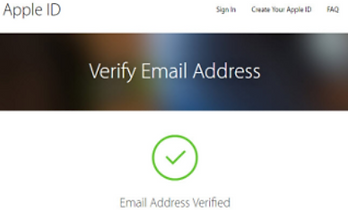
12. Once you're finished, they will send you an e-mail to verify your Apple ID. Click on the link inside the e-mail received and verify it. You will receive a message "E-mail address verified". You're done! You have a US iTunes account!